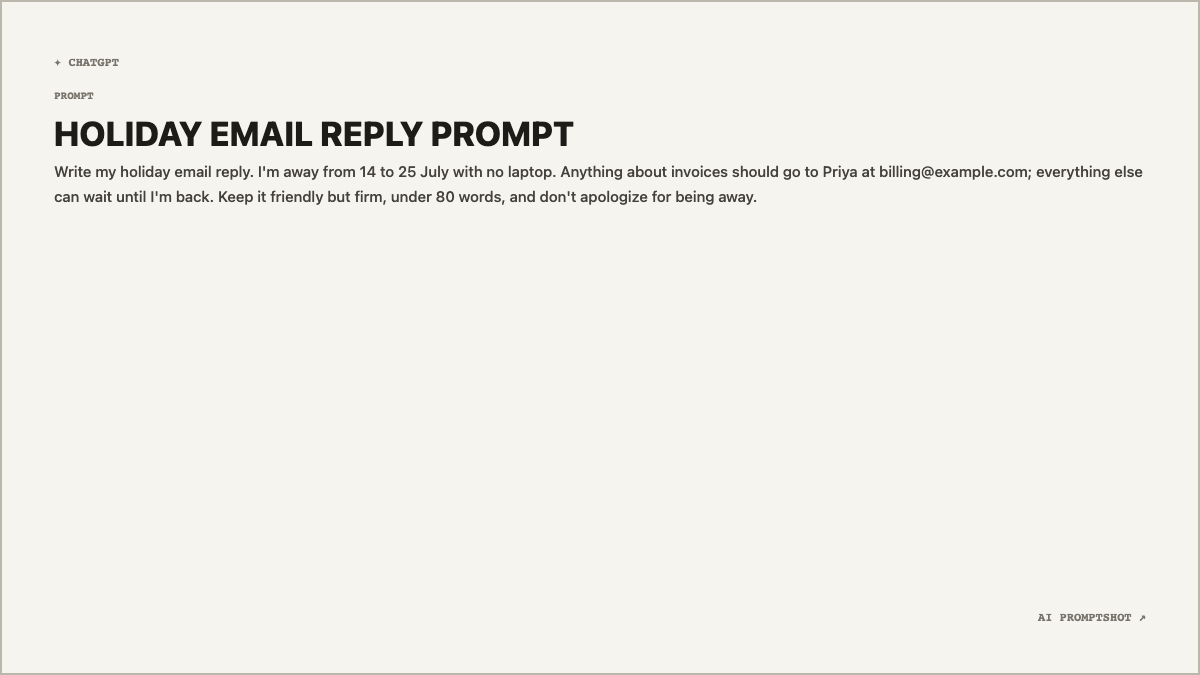
What Clean looks like
The background is a warm off-white (#f5f4ef) with a thin taupe border, so the card keeps a visible edge when it lands on a white page or a light-mode chat. The title is set in heavy capitals in a bold sans-serif, the prompt underneath is in the same family at a normal weight, and the two small labels, ✦ CHATGPT at the top left and AI PROMPTSHOT ↗ at the bottom right, are in a tiny monospace.
Everything hangs from the top left. At 1200 × 675 pixels, a prompt of three or four sentences fills the upper third and leaves the rest as quiet space, so the result reads like a note someone handed you rather than a poster.
When to pick Clean
Pick Clean when the image is going somewhere wide and busy: a Slack thread, a Notion page, an email, one slide in somebody else's deck. A landscape image sits inline in all of those, and a light card doesn't fight the interface around it the way a dark or gradient one can.
If you like the look but need a square, Minimal uses the identical palette. For a long, structured prompt, Research is a whiter, crisper take on the same idea, and if the prompt is full of code, Developer will read better.
- general-purpose prompts
- how-to prompts
- prompt collections
- onboarding examples
The example prompt
Write my holiday email reply. I'm away from 14 to 25 July with no laptop. Anything about invoices should go to Priya at billing@example.com; everything else can wait until I'm back. Keep it friendly but firm, under 80 words, and don't apologize for being away.
An ordinary one-paragraph request, the kind people paste into ChatGPT every day. The heading, HOLIDAY EMAIL REPLY PROMPT, was built from the first sentence: the editor drops openers like "Write my" and keeps the next few meaningful words.
Tips for Clean
- Lead with what the prompt is for. The heading comes from your opening sentence, so "Write my holiday email reply" produces a useful title and "Hi, quick question" produces a useless one. If the title in the preview looks wrong, rewrite the first line rather than fighting it.
- Swap the label, keep the look. The ChatGPT mark is only Clean's starting point. If you wrote the prompt for Claude or Gemini, change the platform in the editor; the colors and layout don't move.
- Use it for sets. Because Clean is so plain, a dozen prompts exported with it look like they belong together. That makes it a good default for an onboarding guide or a shared page of team prompts.